
Running Model Rules
Running Model Rules
-
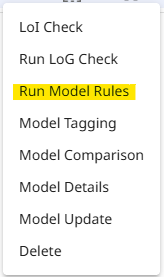
To run custom model rule checks against a model, from within the model menu, select 'Run Model Rules'
-
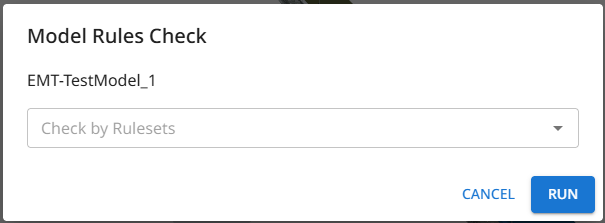
The Model Rules Check dialog window will then open. Select or type to a rule set name to set a rule to run. You can select multiple rule sets to run together.
-
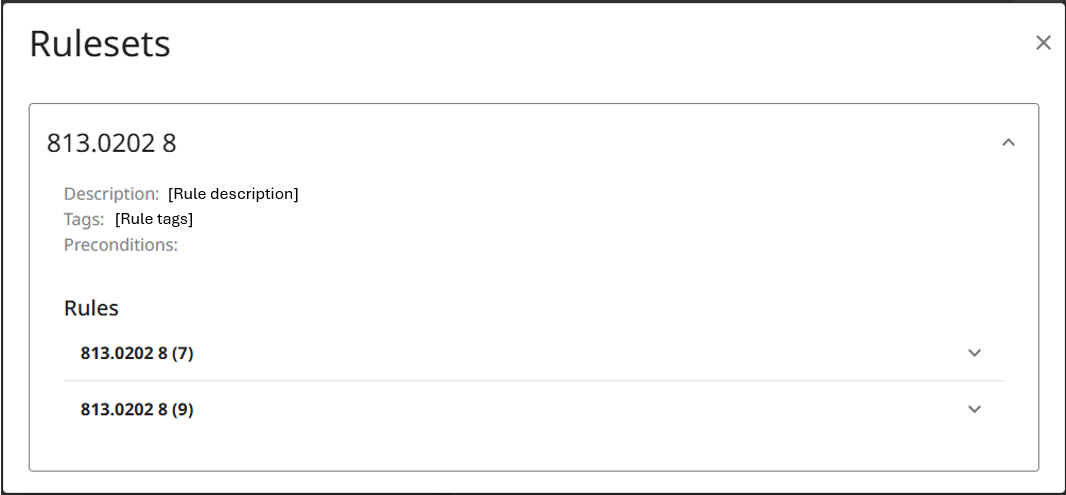
Once selected, the option to view the selected rulesets appears. This allows a review of the rule sets and the individual rules they contain, prior to them being run.
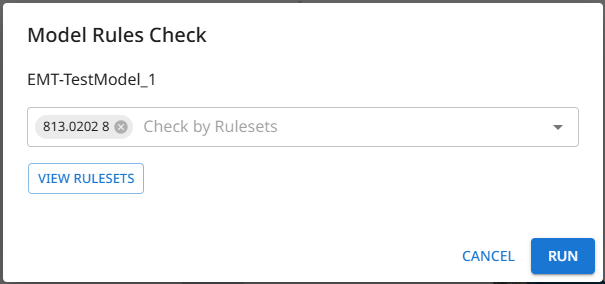
- When the desired selections have been made, click 'Run'.
- Whilst the checks are running:
- a processing icon will appear against the notification bell icon,
- a notification will be provided when the check starts, which includes a estimated run duration,
- The option for 'Model Rules' will become inactive within the model menu.
- On completion of the check:
- a completion notification will be given,
- a notification email will be sent,
- the check results are viewable through the 'Model Rules' option under the model menu.
If a check fails, a failure notification is provided.
Updated 9 months ago
What’s Next
Did this page help you?